

The TV world has spent a decade racing toward bigger screens, which makes finding a genuinely good small TV harder than it should be. But there are real rooms where a 65-inch panel makes no sense — a kitchen counter where you watch the morning news while making coffee, a dorm desk, an RV or camper, a guest room, a garage workshop, or a small apartment. For those spaces, a 24- or 32-inch smart TV is exactly right, and the good news is that the budget end of this size class now ships with the same streaming smarts as the big sets.
The category mostly splits by screen size and operating system. 24-inch sets are the truly compact option — counter, desk, or wall-mount in a galley kitchen — usually topping out at HD (720p) or Full HD (1080p), which is plenty at that size. 32-inch sets are the versatile small-room standard, the largest most people would call “small,” available in HD and Full HD. The other choice is the smart platform: Fire TV (Insignia), Roku, and Samsung’s Tizen each have a different remote and interface, and which one you prefer is mostly about the ecosystem you already use. Below are the most-bought small TVs with quick verdicts and detail.
Our Quick Picks
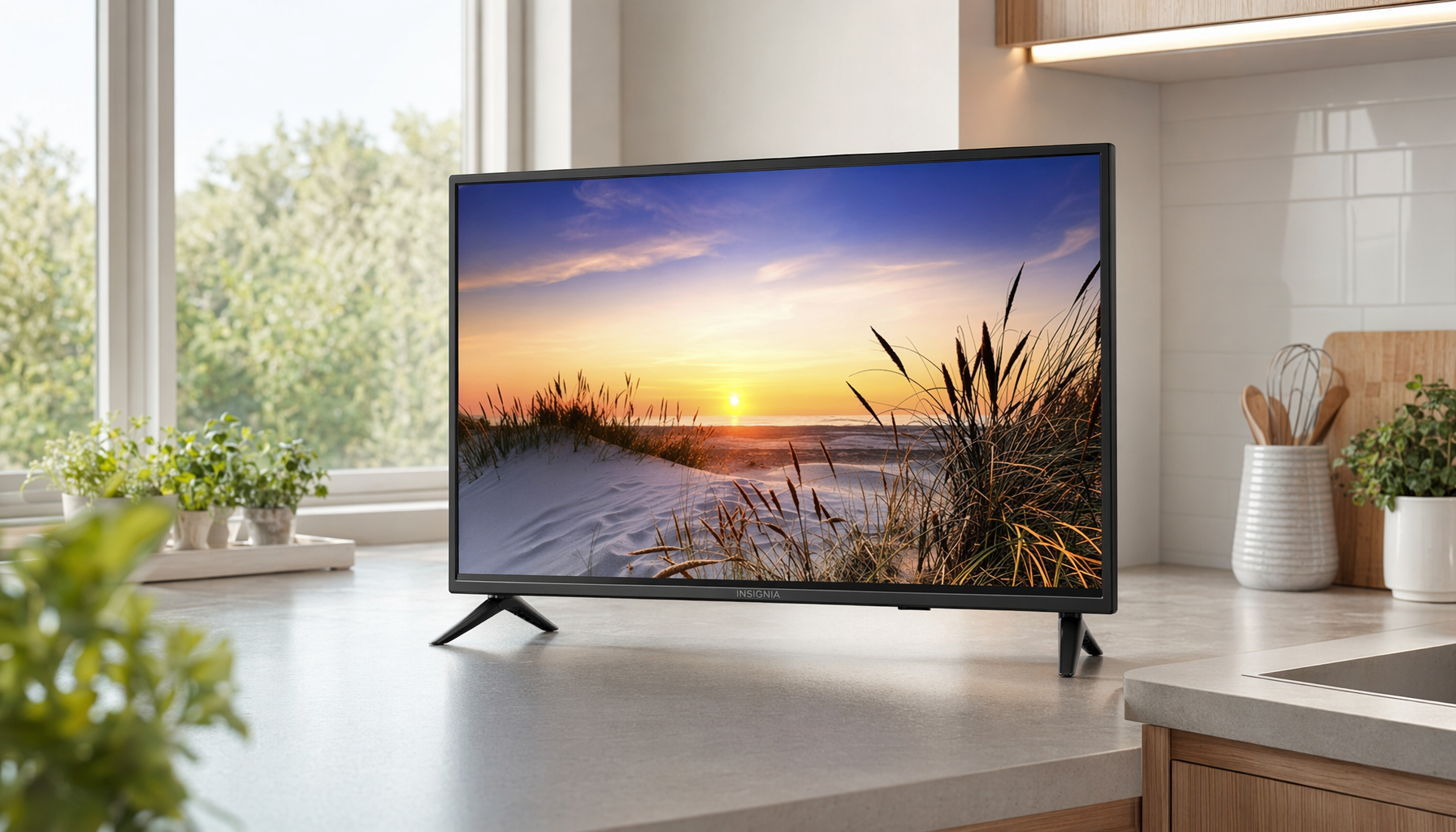
- Best Overall (32-inch): Insignia 32″ F20 Series LED HD Smart Fire TV
- Best Compact (24-inch): Insignia 24″ F40 Series LED Full HD Smart Fire TV
- Best Roku Pick: Roku Select Series 24-Inch 720p HD TV
- Best Brand-Name Picture: Samsung 32-Inch HD H5000F Smart TV
- Best Full HD 32-inch: Insignia 32″ FE Series LED Full HD Smart Fire TV

Save $60.00
Pros & Cons
Pros
- At 32 inches with 720p resolution, it fits bedrooms, kitchens, and offices where a 4K panel would be oversized and unnecessary.
- Fire TV's app ecosystem covers every major streaming service out of the box, with no account linking or external hardware setup required.
- The Alexa remote doubles as a smart home controller, letting you manage compatible lights and devices without switching remotes.
- FSC-certified sustainable packaging indicates a baseline of environmental responsibility in manufacturing and sourcing.
Cons
- 720p resolution means this TV is not suitable for large living rooms or viewers who prioritize sharp 4K image quality.
- Zero verified reviews at launch means long-term reliability and real-world picture performance are unconfirmed by owner experience.
Details
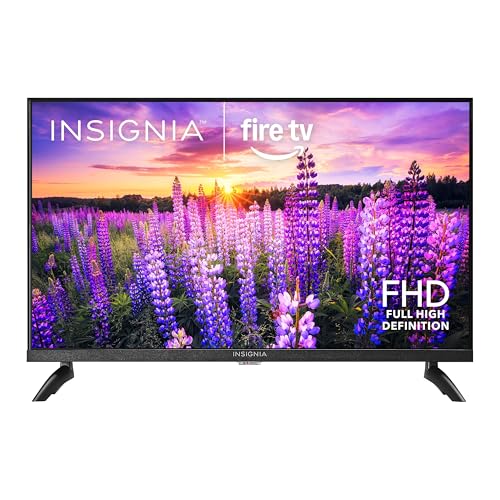
The INSIGNIA 32″ F20 is a 720p LED smart TV with Fire TV built in, designed for secondary rooms where a compact, all-in-one streaming solution matters more than premium resolution.
Fire TV integration delivers 1.5 million titles across Netflix, Hulu, Prime Video, Disney+, and others without any external device. The Alexa remote adds voice search across all apps simultaneously.
DTS Virtual-X expands the built-in speaker output into a wider soundstage. HDMI ARC lets a single cable handle audio to a soundbar, keeping the setup clean.
At 720p, fine detail on fast-moving content or from viewing distances over 8 feet will appear softer than a 1080p or 4K display.
Best for buyers furnishing a bedroom, guest room, or kitchen with a low-profile smart TV that handles streaming and live antenna TV without extra hardware.
How to Use
Plug in the coaxial cable for live antenna TV or connect a cable box via HDMI. Run the on-screen Fire TV setup to link your streaming accounts and connect to Wi-Fi in under ten minutes.
Press and hold the microphone button on the Alexa remote and speak a show title, actor name, or genre. Fire TV searches across all installed apps simultaneously and surfaces results in one list.
Use HDMI ARC by connecting your soundbar to the ARC-labeled HDMI port. Enable ARC in the TV audio settings to route all sound through the soundbar automatically whenever the TV turns on.

Save $20.00
Pros & Cons
Pros
- 1080p Full HD resolution on a 24-inch panel delivers a sharp picture for close-viewing distances typical of bedrooms or kitchen counters.
- Fire TV integration eliminates the need for a separate streaming stick, reducing clutter and remote count.
- Alexa voice control extends beyond content search to smart home management, including camera feeds, lighting, and thermostat control.
- Broad connectivity including coaxial and composite inputs means it works with older devices like antennas, DVD players, and legacy game consoles.
Cons
- With zero verified reviews at launch, real-world reliability and picture quality consistency are unconfirmed by buyers.
- Two HDMI ports may feel limiting if you plan to connect a game console, streaming device, and soundbar simultaneously.
Details
The INSIGNIA 24″ F40 is a Full HD smart TV with Fire TV built in, designed for cord-cutters who want streaming and free live TV without a cable subscription or external device.
Fire TV OS supports all major streaming platforms natively, and the Alexa Voice Remote handles search, input switching, and smart home control without picking up a second remote.
The panel measures 24 inches class, uses an LED backlit LCD display at 1080p, and supports VESA 200×200 wall mounting for flexible placement in compact rooms.
With only two HDMI ports, users connecting multiple devices simultaneously may need an HDMI switch to avoid constant cable swapping.
Best for renters, students, or anyone furnishing a secondary room who wants a capable, low-cost smart TV with no recurring device fees.
How to Use
On first boot, connect to Wi-Fi and sign into your Amazon account. Fire TV auto-installs your linked Prime Video and any previously downloaded apps within minutes.
Press and hold the voice button on the remote to search by title, actor, or genre across all installed apps simultaneously, rather than opening each app individually.
To use it as a smart home hub, open the Alexa app, link compatible devices, and assign the TV as a display for camera feeds or as a control point for lights and thermostats.

Save $20.00
Pros & Cons
Pros
- Hands-free voice control through multiple assistants means you can operate the TV mid-task without drying your hands or finding the remote.
- The compact 24-inch form factor is sized appropriately for kitchens where screen real estate competes with cabinets, appliances, and shelving.
- Bluetooth Headphone Mode is a practical feature for early-morning or late-night cooking sessions when household noise is a concern.
- Access to free live local news and weather channels adds everyday utility beyond entertainment, which suits a kitchen screen specifically.
Cons
- 720p resolution is adequate for a 24-inch screen at kitchen distances but will look noticeably softer than 1080p if you move it to a larger room or view it up close.
- No reviews are currently available, so real-world reliability and audio performance in a noisy kitchen environment cannot yet be verified by buyer experience.
Details
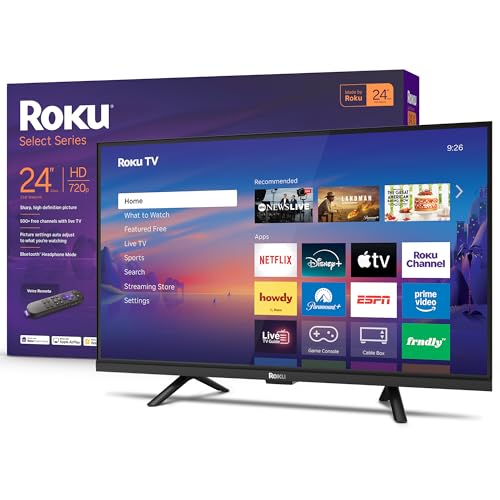
The Roku Select Series 24-inch is a compact smart TV designed for secondary spaces like kitchens, bedrooms, and offices where a full-size screen would be impractical.
720p HD with Roku Smart Picture processing keeps the image clear and well-optimized, which matters most when you’re glancing at a screen from across a kitchen island.
At 24 inches and a flat LED panel, it fits on a shelf, countertop, or small wall mount without requiring structural changes or a dedicated media cabinet.
With no published reviews yet, audio performance in a busy kitchen environment, where background noise is constant, remains an unknown variable worth noting.
Best for home cooks who want a dedicated kitchen screen for news, weather, and streaming without paying for cable or a premium display.
How to Use
Connect to your home Wi-Fi during the guided setup and your existing streaming accounts like Netflix, YouTube, or Peacock will be accessible within a few minutes of unboxing.
Set up your preferred voice assistant once in settings, then use short commands like “show me the weather” or “open YouTube” while keeping both hands on your cutting board or cookware.
Pair any Bluetooth headphones through the Roku mobile app to activate Headphone Mode, which routes audio directly to your headphones while keeping the TV speakers silent for others nearby.

Save $50.00
Pros & Cons
Pros
- Free access to 2,700+ channels removes the need for a paid streaming service for casual viewers.
- Samsung Knox security adds a layer of protection rarely found on budget 32-inch TVs.
- Automatic OS updates for seven years mean the smart platform stays current without manual intervention.
- Compact 32-inch size suits bedrooms, offices, or smaller living spaces where a large panel would overwhelm.
Cons
- HD resolution rather than 4K means picture sharpness falls behind similarly priced competitors that have moved to UHD panels.
- Zero published user reviews at launch makes it difficult to assess real-world reliability or remote usability.
Details
The Samsung H5000F is a 32-inch HD smart TV, not a kitchen appliance. It runs Tizen via One UI and streams free and paid content through a single interface.
Object Tracking Sound Lite and expanded contrast are the two headline performance features, delivering positioned audio and improved light-to-dark scene detail.
Build quality centers on a slim bezel frame designed for minimal visual footprint. Exact weight and mount compatibility should be confirmed against your wall or stand setup.
HD resolution is the clearest limitation: at 32 inches it is acceptable, but viewers sensitive to pixel density may notice softness on fine text.
Best for buyers who want a secondary screen with built-in free streaming, strong security, and long software support at an entry-level price.
How to Use
Use the Smart Hub to browse Samsung TV Plus free channels without entering any payment details. Scroll the content row to find live news, sports, and movies organized by genre.
For IoT households, navigate to Settings and link compatible smart home devices so Knox monitors connected gadgets alongside the TV itself, applying security updates automatically over seven years.
Pros & Cons
Pros
- 1080p LED-backlit LCD produces accurate colors and reliable contrast for everyday streaming and gaming.
- Fire TV platform receives regular updates that add new Alexa skills and smart home integrations over time.
- The breadth of rear connections, including composite AV, coaxial, and optical, accommodates older devices alongside modern ones.
- At 32 inches with Full HD resolution, the panel fits bedrooms, kitchens, or offices where a larger screen would be impractical.
Cons
- No 4K or HDR support means the picture ceiling is 1080p, which may disappoint buyers planning to upgrade sources later.
- Zero published user reviews at launch makes it difficult to assess real-world reliability or long-term panel performance.
Details
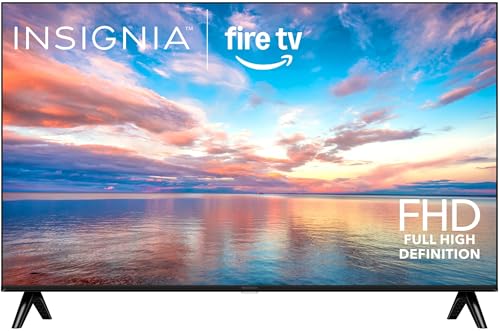
The Insignia 32″ FE Series is a 1080p LED-backlit LCD smart TV with Fire TV built in, designed to replace both a basic television and a streaming device in one unit.
The LED backlighting delivers consistent brightness and a wide color range, while Fire TV provides direct access to Netflix, Prime Video, Disney+, and live free TV without additional hardware.
At 32 inches, the set suits secondary rooms; the full connection panel includes 3 HDMI, USB, optical, coaxial, composite, ethernet, and a headphone jack.
No 4K or HDR capability means buyers who want future-proof picture quality will need to look at a different tier.
Best for renters, guest rooms, or kitchen counter setups where a compact, all-in-one streaming display matters more than peak resolution.
How to Use
Plug the TV into power, connect to Wi-Fi during the on-screen setup, and sign into your Amazon account to activate Fire TV and any existing app subscriptions immediately.
Press and hold the microphone button on the Alexa Voice Remote to search by title, actor, or genre across all installed apps at once, or ask Alexa to switch inputs for a game console or Blu-ray player.
To route TV audio to a soundbar, connect it via the HDMI ARC port or the digital optical output and set the TV audio output to the corresponding option in the sound settings menu.
About These Recommendations
The technique above is the point of this guide; the products are here because they help. We have not tested them ourselves — we did not buy or use this gear. The recommendations come from comparing specifications and materials against the patterns in verified owner reviews, so treat them as a shortlist worth researching rather than a verdict from our own kitchen.
Availability and prices change often, so check the current listing before buying. We earn a commission on purchases made through links on this page, which never affects what we recommend.
The Picks in Detail
Insignia 32″ F20 Series LED HD Smart Fire TV — Best Overall
Pros: The default small-TV recommendation for most people. The 32-inch size is the versatile small-room standard — big enough for a bedroom or small living space, compact enough for a kitchen or dorm. Built-in Fire TV means every major streaming app is on board out of the box, and the included voice remote with Alexa lets you search and control hands-free, genuinely useful when your hands are busy cooking. Free live TV channels are built in. At this size, the HD (720p) resolution looks crisp from normal viewing distance.
Cons: 720p rather than Full HD — fine at 32 inches and typical distances, but those who sit close or want maximum sharpness should look at the FE Series. Budget LED panels have modest contrast and off-angle viewing.
Best for: Anyone who wants a no-fuss, stream-everything small TV for a kitchen, bedroom, or dorm without overthinking specs.
Insignia 24″ F40 Series LED Full HD Smart Fire TV — Best Compact
Pros: The pick when space is truly tight. At 24 inches it slots onto a kitchen counter, a desk, or a small wall mount where a 32-inch set would crowd the room, and it’s Full HD (1080p) — a step up in sharpness that’s noticeable at the close viewing distances a small TV often gets. Same Fire TV platform and Alexa voice remote as the larger Insignia, so you lose screen size but not features or streaming apps.
Cons: 24 inches is small for a main living-room TV — this is a secondary or tight-space set by design. Sound from any TV this small is thin; a soundbar helps if audio matters.
Best for: Kitchens, galleys, RVs, dorm desks, and any spot where 32 inches is simply too big but you still want Full HD and full streaming.
Roku Select Series 24-Inch 720p HD TV — Best Roku Pick
Pros: For anyone who prefers Roku’s interface over Fire TV, this is the compact pick. Roku’s operating system is widely loved for being simple, fast, and neutral — it doesn’t push one streaming service over another, and the remote is about as straightforward as they come. At 24 inches and 720p it’s aimed squarely at small spaces and secondary rooms, and Roku’s app ecosystem covers everything.
Cons: 720p HD rather than Full HD, which is acceptable at 24 inches but not the sharpest option in this roundup. As an entry-tier set, picture quality is functional rather than impressive.
Best for: Roku loyalists and anyone who wants the simplest possible smart-TV interface in a compact, affordable package.
Samsung 32-Inch HD H5000F Smart TV — Best Brand-Name Picture
Pros: The step up if you want a major-brand panel and Samsung’s ecosystem. Samsung’s Tizen smart platform is polished, and the brand’s image processing tends to give budget sets a slightly cleaner, better-tuned picture than no-name panels. This 2025-model 32-inch adds HDR and Object Tracking Sound Lite for more directional audio than most small TVs manage, plus Samsung Knox security on the smart features.
Cons: Typically costs more than the Insignia and Roku options at the same size. It’s still an HD (720p-class) entry panel, so the gains are in processing and ecosystem rather than raw resolution.
Best for: Buyers who prefer Samsung’s interface, already own Samsung devices, or want slightly better picture tuning and sound in a small set.
Insignia 32″ FE Series LED Full HD Smart Fire TV — Best Full HD 32-inch
Pros: The sharper 32-inch option for those who want Full HD at that size. It pairs the versatile 32-inch form factor with 1080p resolution, so it looks crisper than the 720p F20 from closer up — a good match for a bedroom or office where you sit nearer the screen. Same Fire TV platform, Alexa voice remote, and built-in free live TV as the other Insignia sets.
Cons: Usually a bit pricier than the 720p F20 for the resolution bump, which is less noticeable at longer viewing distances. Like all sets here, built-in speakers are modest.
Best for: Anyone who wants a 32-inch TV but sits close to it (desk, small bedroom) and will appreciate the Full HD sharpness over the cheaper 720p model.
What to Look For in a Small TV
Screen Size vs. Space
Measure before you buy. A 24-inch set suits a kitchen counter, desk, RV, or galley; a 32-inch set is the versatile small-room standard for bedrooms, dorms, and compact living spaces. The jump from 24 to 32 inches is significant in a tight spot, so map the available width (and viewing distance) first.
Resolution: 720p vs. 1080p
At these sizes, resolution matters less than people assume. 720p (HD) looks perfectly sharp on a 24- or 32-inch screen from normal viewing distance; Full HD (1080p) is a worthwhile upgrade mainly if you sit close, as you would at a desk or in a small bedroom. Don’t pay for 4K at this size — the pixel density gain is invisible on a small panel at any reasonable distance.
Smart Platform
Fire TV (Insignia), Roku, and Samsung Tizen all stream every major app; the difference is the interface and remote. Roku is prized for simplicity and neutrality, Fire TV integrates Alexa voice control, and Samsung’s Tizen is polished and pairs well with other Samsung devices. Pick the one whose interface you already like or whose ecosystem you use.
Sound and Connectivity
Every small TV has thin built-in speakers — physics, not cost. If audio matters (a kitchen with ambient noise, for instance), plan for a small soundbar. Check the port count too: even a small TV should have at least one or two HDMI inputs for a streaming stick, game console, or Blu-ray player, plus USB.
Frequently Asked Questions
What is the best size for a small TV?
It depends on the space. A 24-inch TV is ideal for a kitchen counter, desk, RV, or other very tight spot, while a 32-inch TV is the versatile standard for bedrooms, dorms, and small living rooms — the largest size most people would still call ‘small.’ Measure your available width and how far you’ll sit from the screen before deciding; the jump from 24 to 32 inches is substantial in a confined space.
Is 720p good enough for a small TV?
Yes, for most small TVs. At 24 or 32 inches and a normal viewing distance, 720p (HD) looks sharp and the difference from 1080p (Full HD) is hard to notice. Full HD is worth it mainly if you sit close to the screen, such as at a desk or in a small bedroom. Paying for 4K at these sizes isn’t worthwhile, since the extra resolution is invisible on a small panel.
Do small TVs have smart streaming features?
Most modern small TVs do. The popular budget models from Insignia (Fire TV), Roku, and Samsung (Tizen) all include built-in smart platforms with every major streaming app and a voice or simple remote. You don’t need to add a separate streaming stick, though you can if you prefer a different interface. Just confirm the specific model is a ‘smart TV’ rather than a basic display before buying.
Can you mount a small TV in a kitchen?
Yes — many small TVs are VESA-mount compatible and light enough for an under-cabinet or wall mount, which is a popular kitchen setup for watching while cooking. Check the TV’s VESA pattern and weight against your mount, keep it away from direct heat and steam from the stove, and make sure there’s an outlet within reach. A 24-inch set is usually the best fit for a kitchen without crowding the space.
Which is better for a small TV: Fire TV or Roku?
Both stream all the major apps well, so it comes down to interface preference. Roku is widely praised for being simple, fast, and not favoring any one streaming service. Fire TV integrates Alexa voice control, which is handy if you already use Alexa or want hands-free control while cooking. If you own other Samsung devices, Samsung’s Tizen is a polished third option. Pick the ecosystem you’re already comfortable with.
The Bottom Line
For most people the Insignia 32″ F20 is the right small TV — versatile size, full streaming via Fire TV, and a friendly price. Drop to the 24-inch Insignia F40 (or the Roku Select) when counter or desk space is tight, step up to the Insignia FE Series for Full HD if you sit close, and choose the Samsung H5000F if you want a brand-name panel and Tizen’s ecosystem. At these sizes, don’t overpay for resolution — 720p looks great, and the smart platform you enjoy using matters more than spec-sheet numbers. If you’re kitting out a kitchen counter, pair it with our picks for the best coffee maker with grinder and the best toaster oven to complete the morning setup.

Write Your Review
No reviews yet. Be the first to share your experience!